Stages, not just a line on a map.
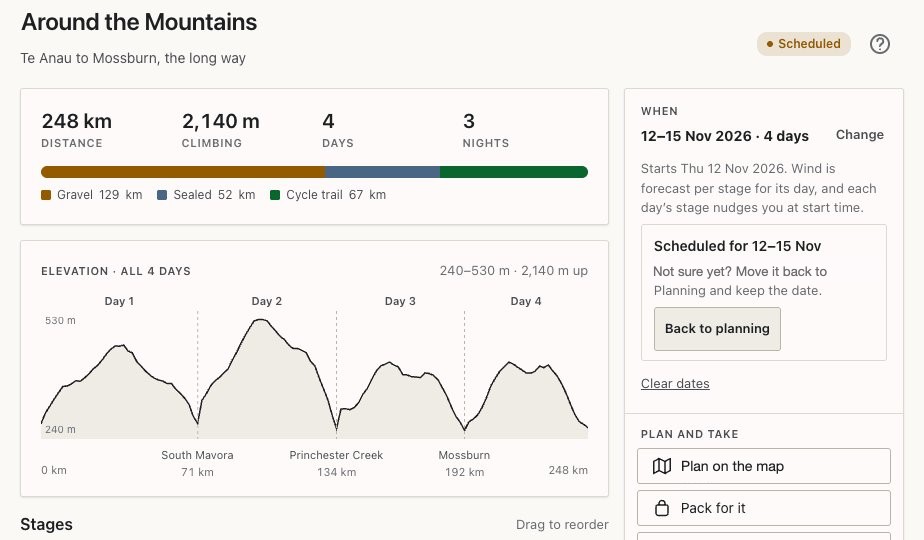
A trip can be a single day with one ride, or several rides in the same day. It can also be a run of days, with each day a stage that has its own route, distance, climbing, elevation profile and surface mix. You can edit anything, even mid-trip. Plan on a tablet or computer, and take only your phone on the bars to ride.
Or skip the planning and just ride. Free Ride tracks you as you go and adds the finished ride to your ride history.
Every day, laid out
Each stage shows distance, climbing, the profile and what you'll be riding on.
- Pin details: hold a waypoint to see the leg into it, with distance, climbing, surface and the weather there now.
- Bags on or off by the day. Leave bags at camp and that day’s weight and time follow.
- Delete a day from a trip.
Route-finding built for loaded bikes
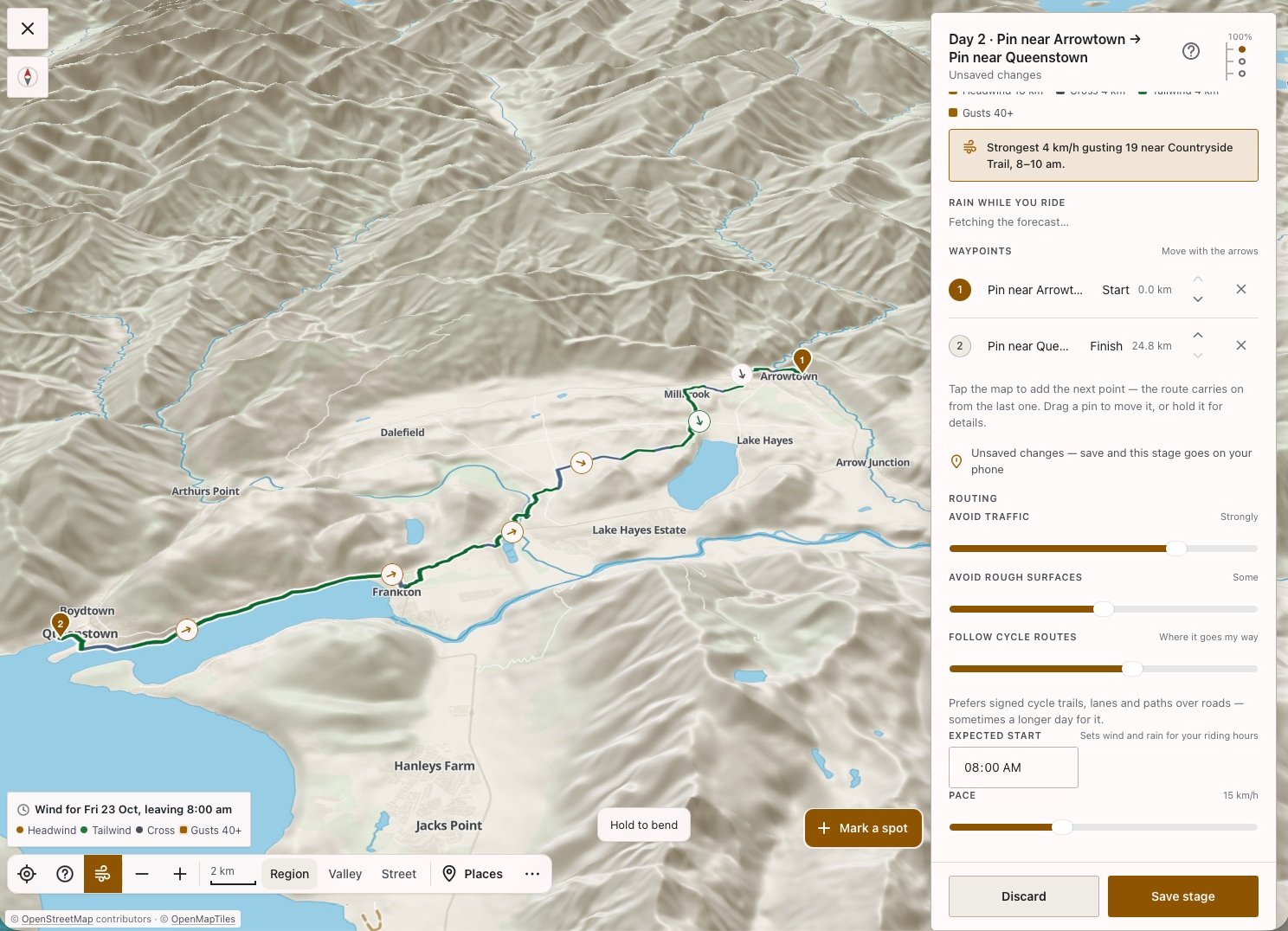
It prefers cycle trails, gravel and quiet back roads, and strongly avoids state highways.
- Sliders for avoiding traffic and avoiding rough surfaces, and Follow cycle routes to keep you on trails like the Lake2Lake.
- Type a start and finish by name, drop a pin, or Where I am now.
- Drag the line to bend the route.
- Detours: tap a road to send the route around it, or compare three ways past.
- Mark any road avoid and it’s remembered for every route after.
Fly the whole ride in 3D
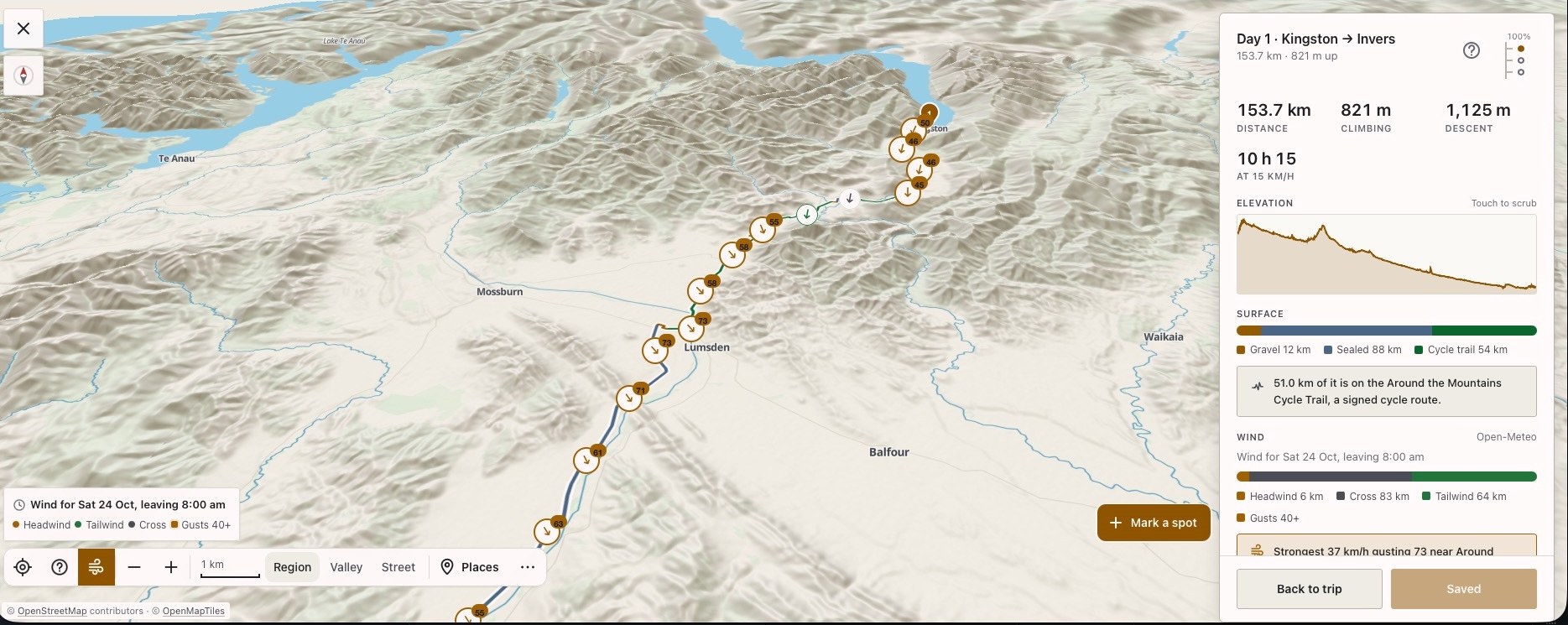
See a ride's map in 3D, then fly it end to end: the climbs, the valleys and the line you'll ride, with distance and height as you go.
The map
Ride layers
Lay these over the map:
- NZ Great Rides, the Tour Aotearoa and NZ cycle routes, each with its distance, climbing and days
- Australia’s cycle routes from OpenStreetMap
- Your own rides
- Your mates’ GPX rides, to add to your next ride plan
Mapping
View maps in 2D, 3D and even in satellite mode.
Places to stop
Water, public toilets, food, cafes, bike shops.
Places to sleep
DOC huts, DOC campsites, holiday parks, and riders’ own spots, marked for each other. Huts more than 5 km from anything you can ride are left out.
Riding a trip with others
Share a trip with a code. Everyone rides the same days; each rider keeps their own bike, bags and times.
- The days and the route
- Bike and bags
- Times and weights
Weather on the route, not just at home
Or 10 km away, in a direction you’re not riding. The forecast follows your planned route.
- Headwind, crosswind or tailwind coloured along each stretch of the stage, with gusts.
- Wind arrows along the day, timed to your own start time.
- Rain combined with strong wind flagged as rough going. Rain radar.
- Overnight lows at each camp spot, adjusted for height, with a frost warning.
- Camps compared side by side: ride on to the warmer valley, or stop here.
Works with no signal
Saving a route stores the map, the route, places, camp spots and the forecast on the phone. Most of where you'll ride has no coverage, and the app is built for that.
Caught short finds the nearest water, toilet or place to sleep with no signal at all.
A native iPhone and Android app. It taps into the phone’s own sensors without draining your battery.
GPX for every stage and for the whole trip. Export to device: one file per stage or one for the whole trip.
Map · route · places to stop · camp spots · forecast. Your track while riding is saved too, and sent when signal returns.
Riding in flight mode? Save the trip while you still have signal, ideally the night before, so the map, route and latest forecast are on the phone before you set off. GPS still works in flight mode, and your track is sent once you turn it off.
Tell Secret Rides about it when you put your name down. The first testers will plan real trips with Secret Rides, and yours could be one of them.